

Public Roadmap Software for Discord Communities
RoadmapAI's AI agent reads your Discord server, privately captures real feature requests, and publishes only the items you approve to a branded public roadmap your members can see and vote on. Nothing goes live by default. You stay in control of every title and status.
Start your 7-day free trial or see RoadmapAI's own public roadmap live. Setup takes about 60 seconds, needs no code, and RoadmapAI states that it is GDPR compliant.
Why a Discord Public Roadmap Needs an Approval Gate
Take a busy Tuesday in your server. Someone asks for dark mode. Another person reports a bug. Three people joke about a feature that will never exist. By Friday, newer messages have buried all of it, and the member who asked for dark mode has no idea whether anyone read the request.
Feedback lives in chat, it scrolls away, and users can't see whether anyone heard them. The obvious fix is a customer-facing roadmap. The obvious fear is that a tool will pipe every half-formed idea straight onto a public page.
I think that fear is fair, which is why this page leads with control. Competing tools sell transparency and engagement, and few say who decides what becomes visible. With RoadmapAI, you decide. Here is how it works.
How RoadmapAI Turns Discord Conversations Into a Public Roadmap
The pipeline has three stages, and you hold the controls at each one.
- Capture. The agent reads your server and picks out real feature requests.
- Review. Captured requests wait privately in your dashboard.
- Publish. Approved items appear on a hosted, branded roadmap page.
Capture: Requests In, Chatter Out
The agent separates feature requests from bugs and casual chatter using context and intent, not keyword matching. A message like "it would be great if exports included dates" is a request. "lol this export is broken again" is a bug report. Neither one gets published. The Discord feedback tooling for requests, tracking, and voting covers the capture details.
Review: Captured Means Private
Every captured request lands in your dashboard first. Members can't see it, and neither can the public. You read it on your own schedule.
Publish: Your Brand, Your Domain
Approved items appear on a hosted roadmap page with your logo and colors, and you can point a custom domain at it. Members get a link they can bookmark. You don't build or maintain a separate feedback website.
The full flow looks like this:
| Step | What happens | Who sees it |
|---|---|---|
| 1. Discord message | A member posts a request in your server | Your server |
| 2. Private capture | The agent logs it as a request | Only you |
| 3. Owner approval | You edit the title, set a status, approve | Only you |
| 4. Public roadmap | The item appears on your hosted page | Everyone |
| 5. Status update | You move it to In Progress or Shipped | Everyone |
| 6. In-thread reply | The bot replies in the original Discord thread | The requester and server |
What Stays Private Until the Owner Approves It
Trust comes from a clear line between what the agent captures and what you publish. This table draws it.
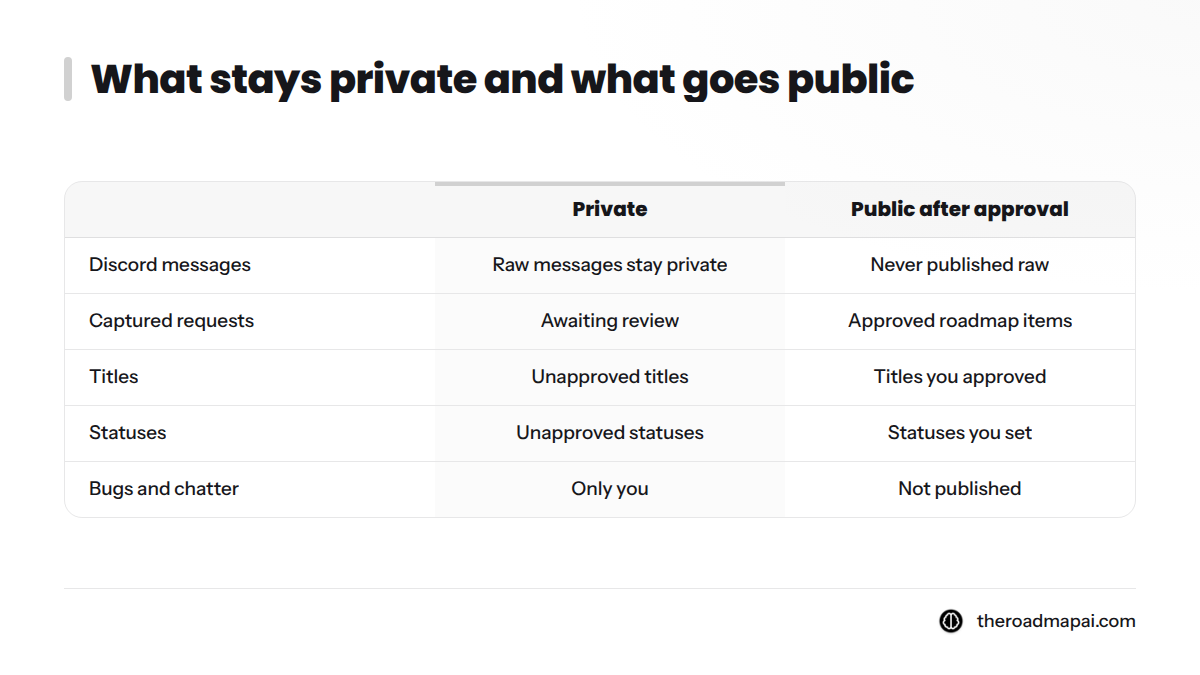
| Private (only you see it) | Public (visible after you approve) |
|---|---|
| Raw Discord messages | Approved roadmap items |
| Captured requests awaiting review | Titles you approved or edited |
| Bugs and chatter | Statuses you set |
| Unapproved titles and statuses | Votes on published items |
Nothing goes public by default. A captured request stays in your dashboard until you approve it.
RoadmapAI handles duplicate requests separately. For voting behavior, see the feature requests page linked above.
How Owner Approval Works in the Product
Approval is a short loop. You open a captured item, read the original context, and decide.
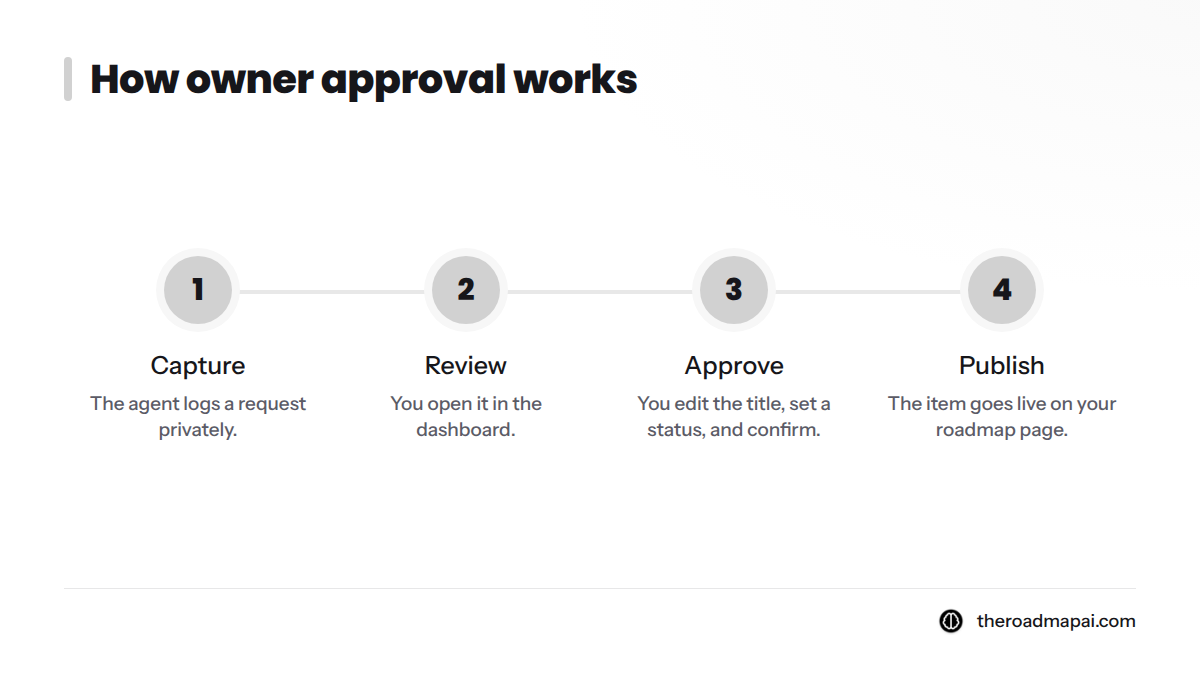
- Capture: the agent logs a request privately.
- Review: you open it in the dashboard.
- Approve: you edit the title, set a status, and confirm.
- Publish: the item goes live on your roadmap page.
Edit Titles Before Anything Is Public
Members write requests in their own words, often in a rush. You can rewrite a title into something clear and neutral before it appears. The public sees your wording, never the raw message.
Statuses You Control
Each item carries a status: Planned, In Progress, or Shipped. If you think in Now, Next, and Later, the same idea applies. Now is what you're building, Next is what follows, and Later is what you're considering. You choose the status, and members see only what you set.
Optional: Approvals Through an MCP Assistant
RoadmapAI also works with MCP-compatible assistants such as Claude, ChatGPT, Cursor, Claude Code, Windsurf, and VS Code. The Model Context Protocol is an open standard for connecting assistants to tools. Through it, an assistant can list pending items or mark an item shipped. Those changes follow the same approval rules as the dashboard and trigger the same Discord replies.
Ready to try the flow on your own server? Start your 7-day free trial.
RoadmapAI's Own Public Roadmap as a Working Example
We run our own roadmap on RoadmapAI. Open RoadmapAI's own public roadmap and you'll see what your members would see: items grouped by status, titles written for readers, and votes on published items.
It also works as a fair test. If the approval gate does its job, you should find clean, deliberate items and no raw chat. Check for yourself. When something ships, you can publish ship notifications and a changelog so the people who asked hear about it.
Who This Fits: Discord Communities and Server Owners
RoadmapAI is built for a specific kind of owner. It fits if you:
- run a Discord server for a product or community;
- are a server owner or community manager drowning in requests;
- want users to see progress without a separate feedback site;
- are an indie hacker or small team without time for extra tooling;
- are switching from Canny or Upvoty, since board import is supported.
It is not a fit yet if you need Slack, Intercom, or Zendesk capture today. Those integrations are listed as coming soon, not live.
What the Public Roadmap Page Gives Your Members
A good way to share a roadmap with users is to answer the one question they keep asking: "Did anyone hear me?" Yours can answer it four ways.
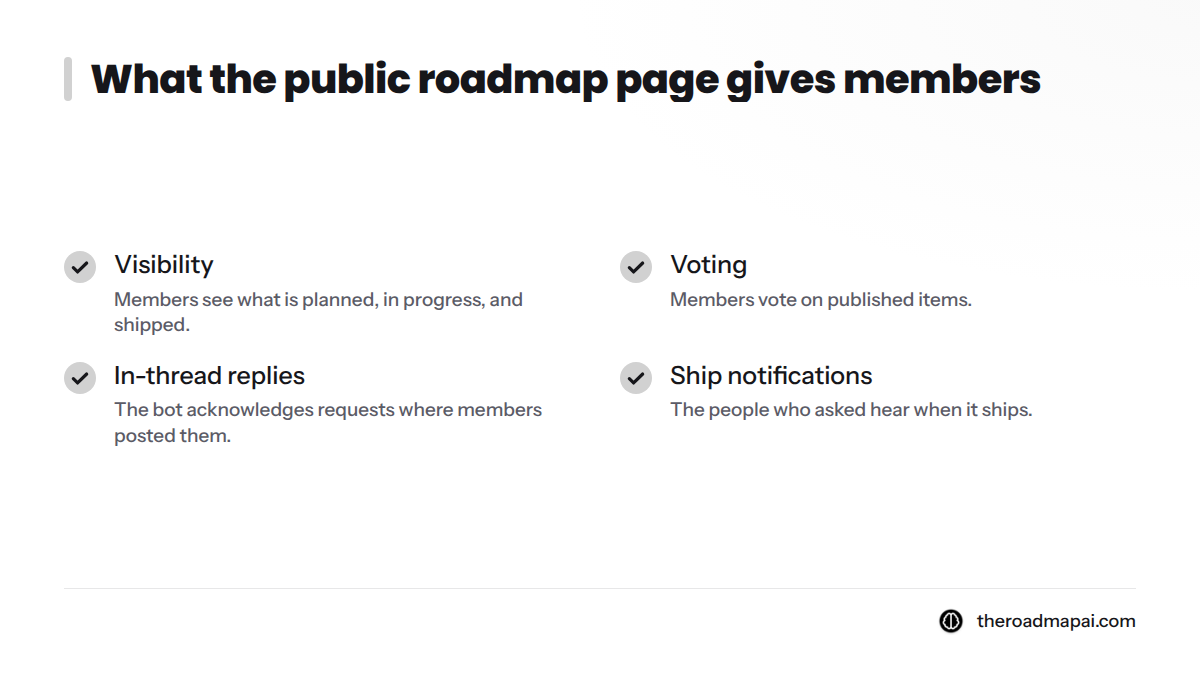
- Visibility. Members see what is planned, in progress, and shipped.
- Voting. Members vote on published items, so you see what matters most.
- In-thread replies. The bot acknowledges requests where members posted them.
- Ship notifications. The people who asked hear when it ships.
I like this loop because it closes itself. A request becomes an item, the item changes status, and the member gets a reply in the place they already hang out.
Start a Trial and Publish Your First Approved Roadmap
You can have a branded roadmap running today. Connect your server, let the agent capture requests, approve the ones you want, and publish. Plan details live on the RoadmapAI pricing page, and the 7-day free trial lets you test the full flow first.
Start your 7-day free trial or see the live roadmap first.
Want the how-to behind the concept? Read the step-by-step guide to creating a public roadmap.
Frequently Asked Questions
How does RoadmapAI turn Discord conversations into a public roadmap?
RoadmapAI's AI agent reads your Discord server and identifies real feature requests by context and intent. It captures them privately in your dashboard. You review each one, edit the title, set a status, and approve it. Only approved items appear on your hosted, branded roadmap page.
Does everything people post in Discord appear on the public roadmap?
No. Raw messages, bugs, and chatter stay private. Captured requests also stay private until you approve them, and nothing goes public by default. Members see only the items, titles, and statuses you chose to publish.
Can I use a public roadmap without a separate feedback website?
Yes. Members keep posting in Discord, where they already are. RoadmapAI captures requests there and publishes approved items to a hosted roadmap page, so you don't need to build or maintain a separate feedback site.
Is there a free trial?
Yes. RoadmapAI offers a 7-day free trial so you can connect your server and publish a roadmap before you commit. Plan details are on the RoadmapAI pricing page.