

Discord Feedback Bot: Turn Chat Into a Roadmap | RoadmapAI
A Discord feedback bot reads the conversation in your server, picks out the feature requests worth tracking, and files them where you can act on them. RoadmapAI does this automatically. It captures requests from chat, replies in-thread to acknowledge them, merges duplicates into votes, and publishes only what you approve. Start your 7-day free trial and watch your own server's requests get sorted.
Start your 7-day free trial | See the live roadmap
What a Discord Feedback Bot Does
A Discord feedback bot is an app that collects product feedback from a Discord server and organizes it. A good one does more than store messages. It separates real feature requests from bug reports and small talk, groups repeats, and hands the server owner a clear list to review. You may also hear it called a Discord feedback tool, a Discord suggestion bot, or a Discord bot for feature requests. The job is the same.
In one line: a Discord feedback bot turns scattered chat into a reviewed, voted list of what your community wants.
Requests get buried in fast-moving chat
I have watched this play out in product communities again and again. Someone posts a sharp idea at 9 a.m. By lunch, four hundred messages sit on top of it. Nobody replies, nobody logs it, and the person who asked quietly decides you don't listen.
Discord is built for live conversation, not long-term tracking. Discord organizes everything into channels and threads that scroll away as people talk. That suits community. It is hard on Discord community feedback.
Suggestion commands and spreadsheets break as the server grows
Most teams start with one of two fixes. Both crack under volume.
- A suggestion command or dedicated channel. It only catches people who know the command and remember to use it. Requests made in passing, in a general channel, still vanish.
- A manual spreadsheet. Someone has to read everything, copy requests over, and spot repeats from memory. That someone burns out.
Here is why this matters: the best feedback often shows up casually, mid-conversation, from people who would never fill in a form.
How RoadmapAI Captures Feedback From Discord
RoadmapAI is an AI Discord bot for product feedback that works quietly in the channels you choose. People don't need a special command. The flow looks like this:
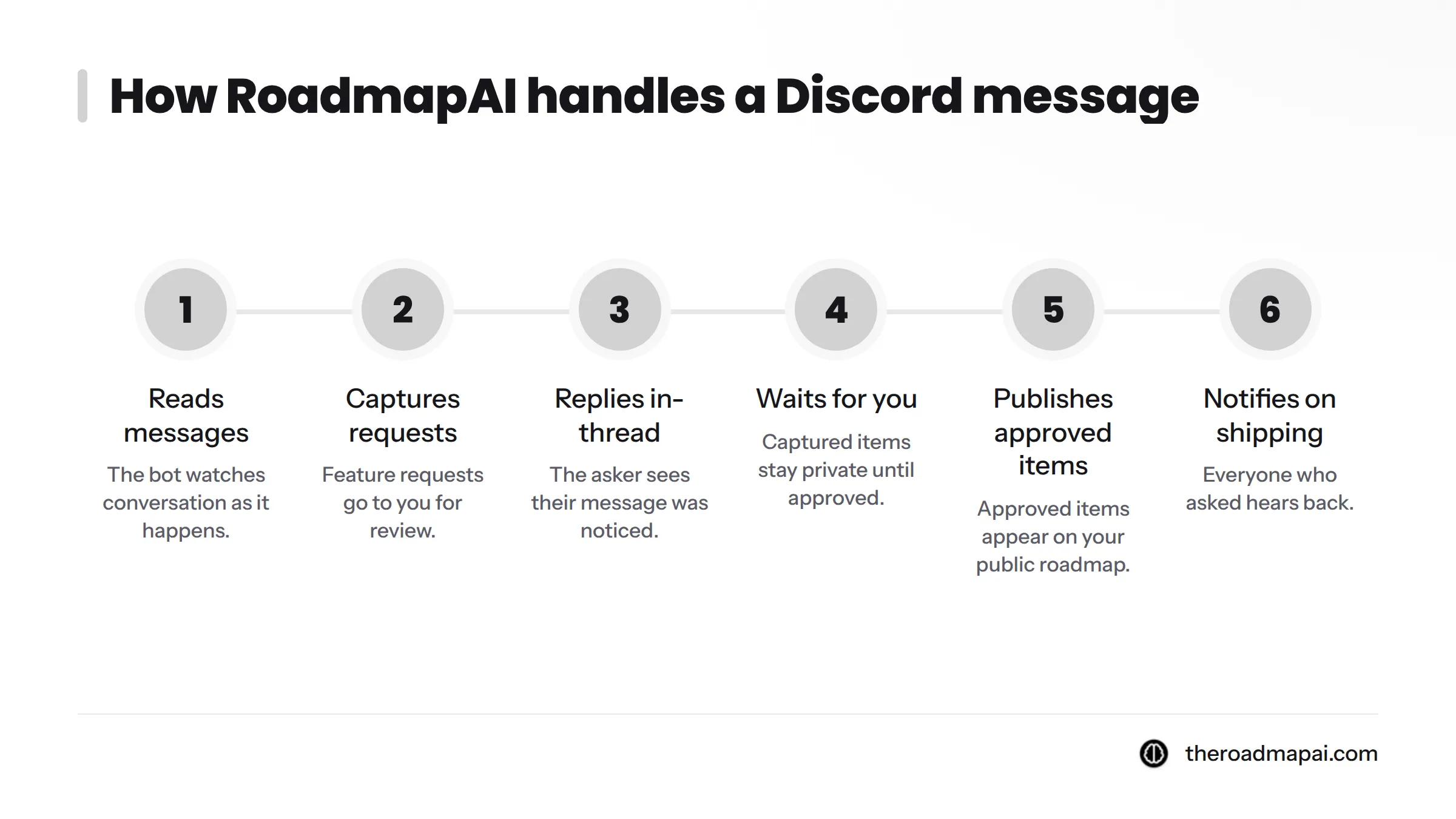
- It reads messages. The bot watches conversation as it happens.
- It captures requests worth tracking. Feature requests go to you for review. Bug reports and casual chatter are not captured as requests.
- It replies in-thread. The person who asked sees that their message was noticed, which closes the first gap in the feedback loop.
- It waits for you. Captured items stay private until you approve them.
- It publishes what you approve. Approved items appear on your public roadmap.
- It notifies people when work ships. Everyone who asked hears back.
So the path runs from Discord chat to capture, owner review, approved roadmap, and ship notification. Every step after capture is yours to control.
Want to know how the AI tells requests from bugs and chatter? The feature request tools page covers how capture, tracking, and voting fit together. I'm keeping detection details there and focusing on what you get here.
Request, Bug, or Chatter: Sorting Real Messages
Let's break down how sorting looks from your side. The messages below are illustrative examples of the three labels, written to show the idea. They are not customer quotes or measured output.
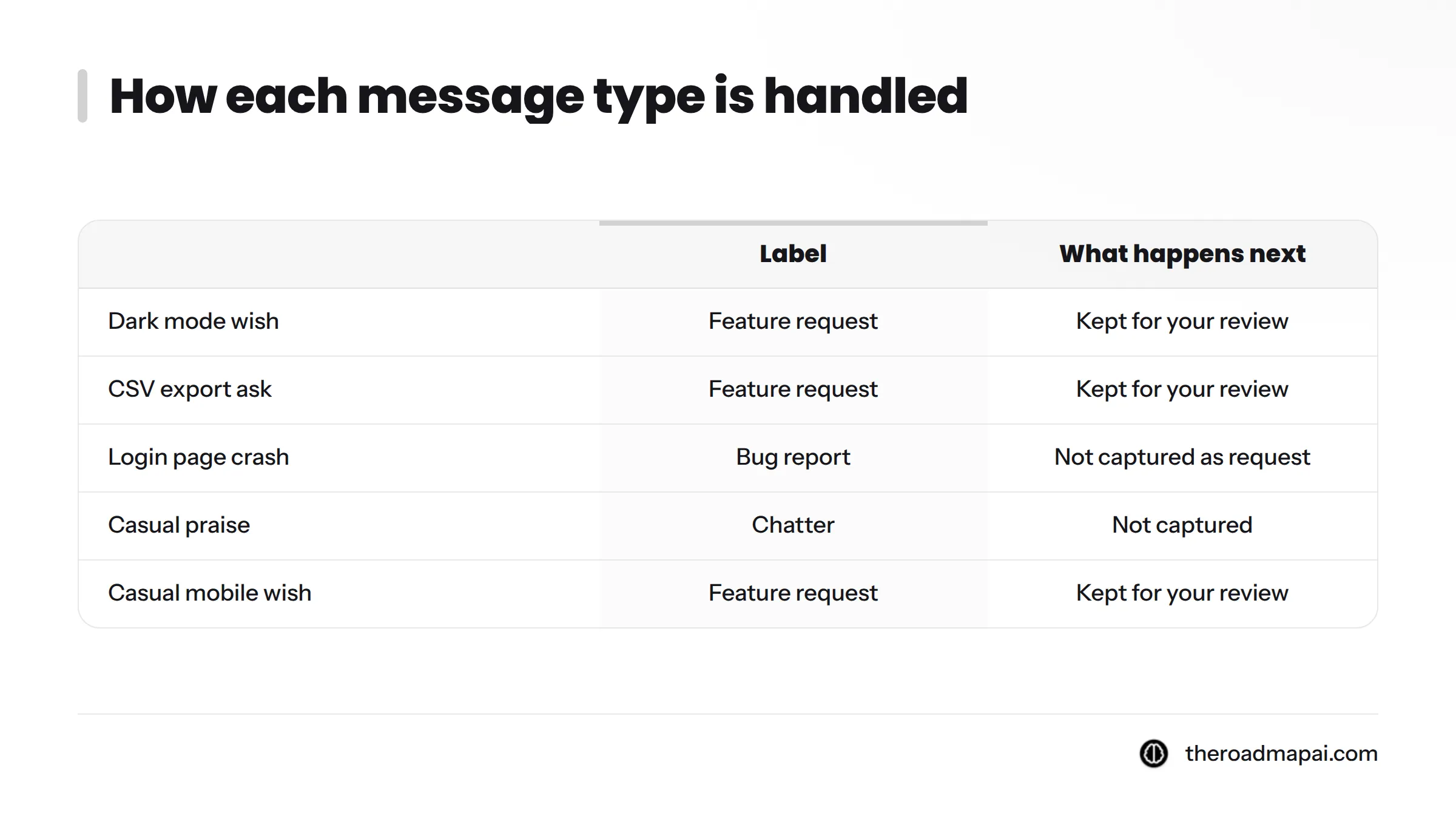
| Message (illustrative) | Label | What happens next |
|---|---|---|
| "Would love a dark mode for the dashboard." | Feature request | Kept for your review |
| "Can we get CSV export on the reports page?" | Feature request | Kept for your review |
| "The login page crashes when I click Sign in." | Bug report | Not captured as a request |
| "lol that update was wild, nice one" | Chatter | Not captured |
| "it'd be so nice if I could just see this on mobile" | Feature request (casual phrasing) | Kept for your review |
Look at the last row. People rarely write "Feature request:" before an idea. A tool that waits for magic keywords misses the most natural asks. RoadmapAI reads context and intent instead, so a casually phrased wish still gets caught.
Your trial server will show you its own labeled messages, which is better proof than any table I can write.
Many Phrasings, One Voted Item
Demand hides in repetition. Three people might say:
- "Please add dark mode."
- "My eyes hurt at night, any chance of a darker theme?"
- "Night theme when?"
Three messages, one idea. Counted separately, each looks like a minor whim. Counted together, it is a clear signal.
RoadmapAI merges duplicate feature requests into votes, so those three asks become a single item with three supporters. You see what the community wants most, not who typed the loudest message. Merging has its own feature page, so I won't repeat the details here.
That one change turns a pile of noise into a ranked list you can plan from.
From Voted Requests to a Public Roadmap From Discord
Control matters, so let me be plain: nothing goes public until you approve it. Captured requests wait in a private review queue. You keep the ones that fit, skip the ones that don't, and publish on your own schedule.
Approved items land on your public roadmap, where your community can follow progress and vote. When something ships, the people who asked get notified. Spreadsheets never do that part, and it's the part that tells users their words changed the product.
You can check this yourself. RoadmapAI runs its own public roadmap and changelog, so you can watch requests travel from idea to shipped update.
Developer note: if you work in an AI coding assistant, you can manage your roadmap from Claude or Cursor through an MCP server, built on the open Model Context Protocol. Review and update items without leaving your editor.
Ready to see your own server's requests? Start your 7-day free trial.
Who Should Use a Discord Server Feedback Bot
This kind of bot suits teams whose users already talk to them on Discord. In my view, it pays off fastest for:
- Indie hackers who run their whole product community from one server.
- SaaS teams with a customer or beta channel that fills up daily.
- Community managers who relay requests to product staff by hand.
- Community-driven startups that want users to see their influence on the roadmap.
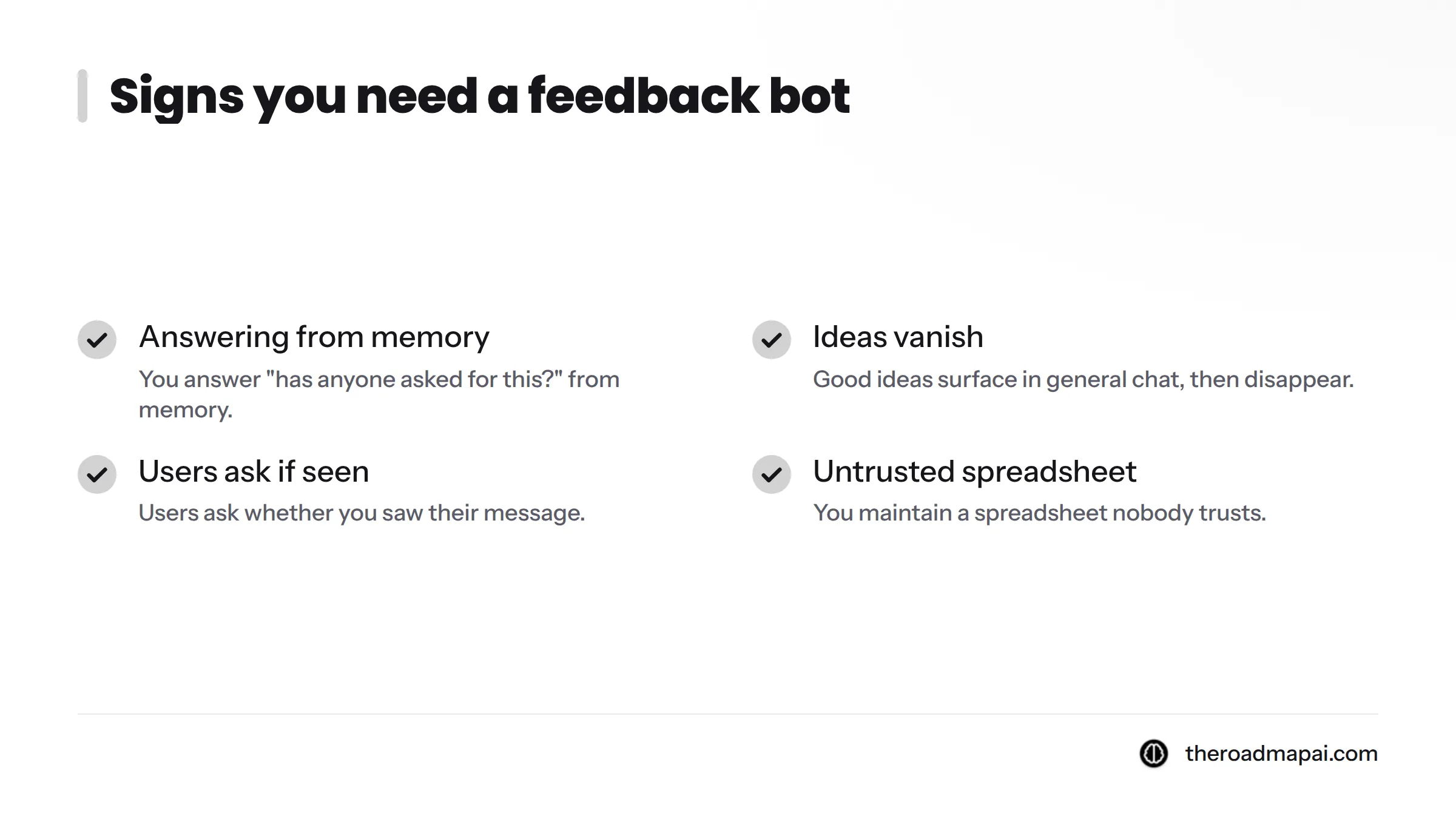
Signs you need one:
- You answer "has anyone asked for this?" from memory.
- Good ideas surface in general chat, then disappear.
- Users ask whether you saw their message.
- You maintain a spreadsheet nobody trusts.
When you might not: if your community is tiny and quiet, or your feedback arrives mostly by email, a bot adds little. If you want a general moderation or role bot, this is a different tool. And if you already track requests on another board, such as Canny or Upvoty, you can import it rather than start over.
Set Up RoadmapAI on Your Discord Server
You don't need to write code. Pick your channels, connect the bot, and let it work. Next steps:
- Follow the steps to add RoadmapAI to your Discord server.
- Check the RoadmapAI plans and 7-day free trial on the pricing page.
- Still weighing options? Read our roundup of the best Discord bots for product feedback in 2026.
RoadmapAI gives you a working feedback loop in minutes, and the 7-day trial lets you prove it on your own community before you commit.
Discord Feedback Bot FAQ
What does a Discord feedback bot do?
It collects feedback from your Discord server and organizes it. RoadmapAI captures feature requests from chat, skips bugs and chatter, merges repeats into votes, and holds everything for your approval before anything goes public.
Does RoadmapAI publish anything without my approval?
No. Captured requests stay private in your review queue. Only items you approve appear on your public roadmap, so you decide what your community sees and when.
How is it different from keyword-based bots?
Keyword bots look for set phrases, so they miss casual wording. RoadmapAI reads what a message means. That lets it catch informally phrased requests and ignore messages that merely contain a trigger word.
Can I try it before paying?
Yes. RoadmapAI offers a 7-day free trial, so you can run it on your real server and judge the results first. Full plan details are on the pricing page.
Does it reply to the people who ask?
Yes. The bot replies in-thread to acknowledge a captured request, so people know they were heard. When the item ships, the people who asked get notified.
Can I manage the roadmap from my AI assistant?
Yes. An MCP server lets you control your roadmap from Claude or Cursor, so you can review and update items from the tools you already use.
Sources
- Discord: official website, Discord Inc.
- Model Context Protocol: official site, Anthropic and contributors
Related: how Discord feedback bots compare