 RoadmapAI
Linear Feature Requests: How to Track and Triage
Track feature requests in Linear without losing customer context. Pick an intake path, merge duplicates, carry votes upstream, and triage with labels.
To track feature requests in Linear without losing customer context, pick one intake path, record who asked and where, merge duplicates upstream so votes carry over, triage with labels and statuses, link each request to a project, and tell requesters what happened. This guide is for teams managing their own users' requests in Linear, not for anyone asking Linear itself for a feature.
I work with teams that pull community feedback from Discord into their issue trackers, and the same pattern shows up every time. Linear is excellent at tracking work. On its own, it does not hold the voice of your community. Here is how to close that gap.
Quick steps:
- Decide where Linear feature requests enter.
- Capture each request with the customer context attached.
- Bridge Discord feedback to Linear.
- Merge duplicates and carry vote counts and requesters upstream.
- Run Linear triage for feature requests with labels and statuses.
- Link requests to projects, roadmap items and customer records.
- Tell requesters what happened.
What "customer context" means here: the requester, the channel they used, their verbatim quote, a vote count, and a link back to the original message. Lose any one of these and the issue becomes a guess about what people want.
Last verified against Linear's public documentation in October 2026.
Step 1: Pick one front door for Linear feature requests
Choose the entry point before you build anything else. Three paths work, and each one loses context in a different way.
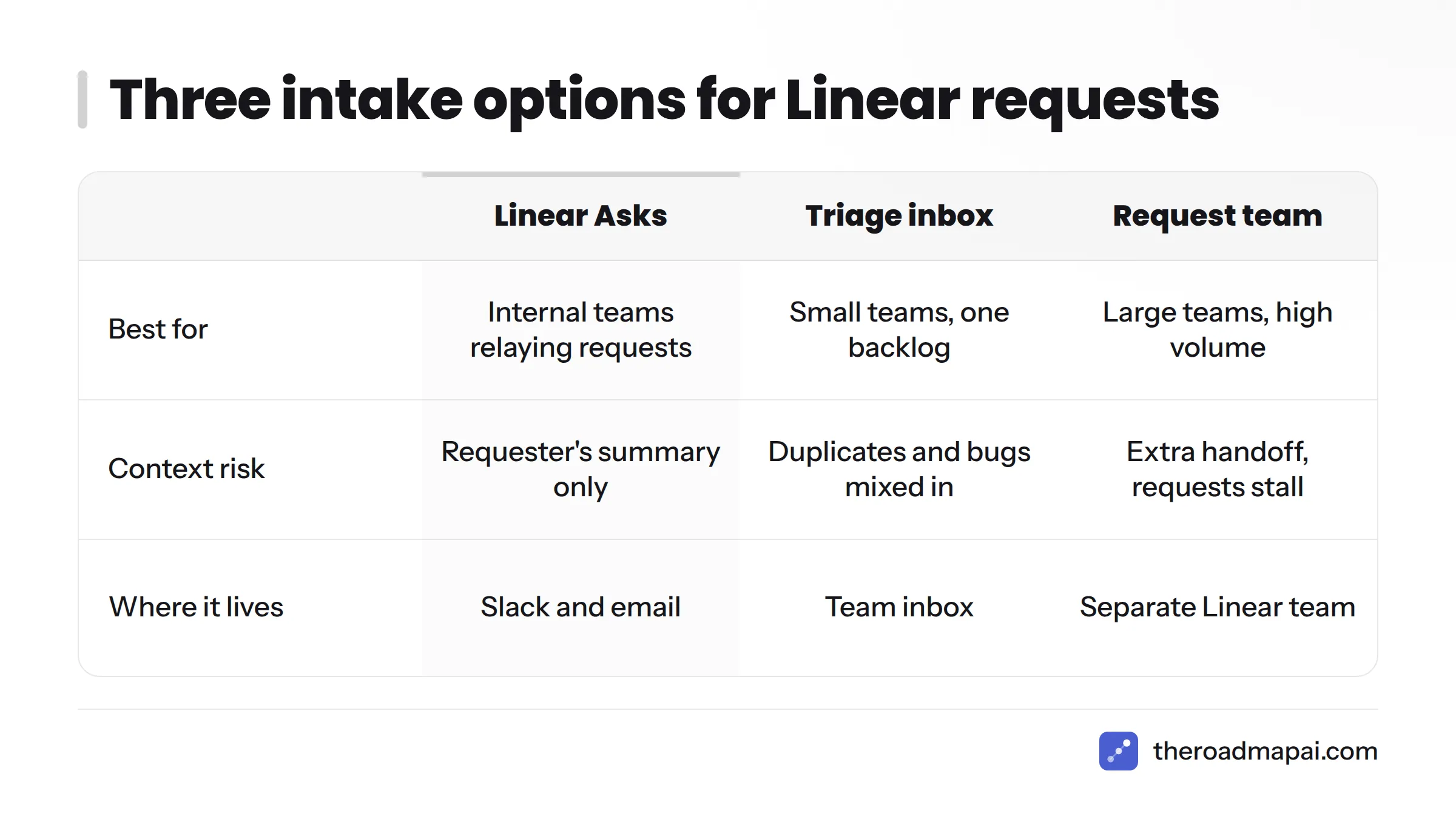
Linear Asks for Slack and email intake
Linear Asks lets people outside your product team send requests into Linear from Slack and other channels, so they never have to open Linear to file one. It suits internal requests from sales, support and customer success.
A Linear Triage inbox on your product team
Linear's Triage gives each team an inbox for incoming issues, and someone reviews them before they reach the backlog. Small teams can route every request here and keep a single list.
A dedicated feature-request team
Larger teams sometimes create a separate Linear team just for requests. The product backlog stays clean, but you take on a handoff that someone has to maintain.
| Intake option | Best for | Context risk |
|---|---|---|
| Linear Asks | Internal teams relaying customer requests from Slack or email | Requests carry the requester's summary, not the customer's own words |
| Triage inbox | Small teams with one backlog | Inbox fills with duplicates and bugs mixed in with requests |
| Dedicated request team | Larger teams with high request volume | Extra handoff step; requests can stall before reaching the product team |
My view: start with the triage inbox. Add Asks when people who don't use Linear need a way in. Create a dedicated team only when the inbox becomes unreadable.
Step 2: Use Linear issue templates to keep the customer's context
Most context disappears at one moment: someone retypes a message as an issue. They shorten it, drop the name, and forget the link. Months later, nobody can say who wanted the feature.
A request issue template
Linear supports issue templates, so you can pre-fill the structure every request needs. Copy this into a template:
Requester:
Channel (Discord, Slack, email, support ticket):
Verbatim quote:
Link to original message:
Problem they are trying to solve:
Impact (who is blocked, how often):
Vote count / number of people asking:
Keep the verbatim quote. A customer's own words often reveal the real problem, while a paraphrase tends to hide it. If you want a tool that captures and tallies requests before they reach your tracker, look at feature request tools built for that job.
Step 3: Move Discord feedback to Linear without dropping names or counts
Here is the gap I see most often. A user posts "can we get dark mode on mobile?" in Discord. Five others reply with a thumbs-up. Someone files a Linear issue titled "Dark mode request." The issue has no names, no count of six, and no link to the thread.
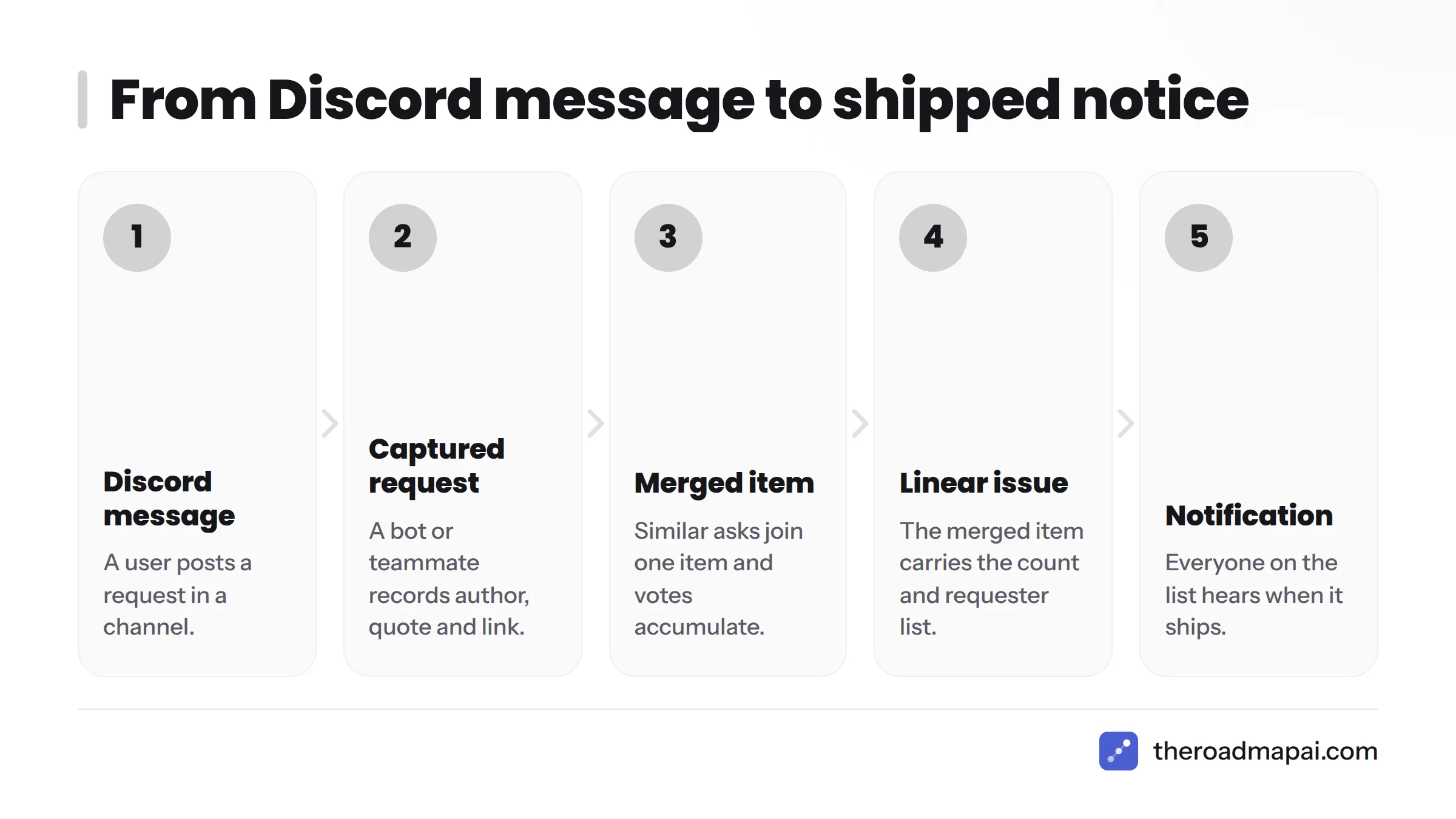
The flow that works looks like this:
- Discord message: a user posts a request in a channel.
- Captured request: a bot or a teammate records it with the author, quote and link.
- Merged item: similar asks join one item, and votes accumulate there.
- Linear issue: the merged item becomes one issue carrying the count and requester list.
- Notification: when the issue ships, everyone on the list hears about it.
In my experience, requests reach Linear without vote counts or requester details unless something captures and merges them upstream. A Discord feedback bot is one way to do that. If your team lives in Slack instead, the same logic applies to Slack feature requests.
Step 4: Merge duplicates and carry the votes with them
People rarely word the same request the same way. Here is a worked example.
| Original ask | Channel | Requester |
|---|---|---|
| "Add dark mode on the phone app" | Discord | Maya |
| "Night theme for iOS please" | Support email | Jonas |
| "My eyes hurt at night, any dark UI?" | Discord | Priya |
That's three differently worded asks and one need. Merge them into one item with a count of three, three named requesters, and three links. Then create a single Linear issue that lists all of it.
If duplicates already exist in Linear, mark them with its duplicate issues behavior so the work lives in one place. Before you do, copy the requester names from each duplicate into the surviving issue. Skip that and you close the issue while silently losing the people who asked.
Step 5: Triage with Linear's workflow, labels and statuses
Triage turns a pile into decisions.
Triage inbox actions
In Linear's Triage, reviewers can accept an issue into the backlog, mark it as a duplicate, or decline it. Review the inbox on a fixed rhythm. Weekly works for most small teams.
A minimal label set
Keep labels few and consistent. This is my suggested starting set, not a Linear requirement:
- Type:
feature-request(so you never confuse it with a bug) - Area:
billing,mobile,integrations - Source:
discord,support,sales
Triage decides whether a request enters the backlog. It does not decide where the request ranks. For scoring, see this guide to prioritizing feature requests.
Step 6: Build a Linear roadmap for feature requests
An accepted request needs a home. Attach it to a Linear project so progress is visible, and schedule it into a cycle once the team commits to it.
Linear also has Customer Requests, which ties customer feedback to issues and projects so you can see who asked. Linear documents integrations with support tools too, such as Front. Check the live docs for what each integration syncs before you promise anything to your team.
If you want a version of the roadmap your community can see, a public roadmap shows requesters where their idea stands.
Step 7: Tell requesters what happened
Teams skip this step, and requesters are the ones who remember. Send a short, honest message for each outcome.
- Shipped: "You asked for dark mode on mobile. It is live in version 2.4. Thanks for pushing us on it."
- Planned: "Dark mode is on our roadmap for next quarter. We will update you when work starts."
- Declined: "We looked closely at this and decided not to build it, because it would conflict with how the editor works. Here is what we suggest instead."
Use the requester list from Step 4 so nobody is missed. For a fuller process, read about closing the loop with requesters.
Want the community side handled? Browse the RoadmapAI integrations to see how requests can be captured before they reach your tracker, and start the free trial on the pricing page.
Mistakes That Lose Customer Context in Linear
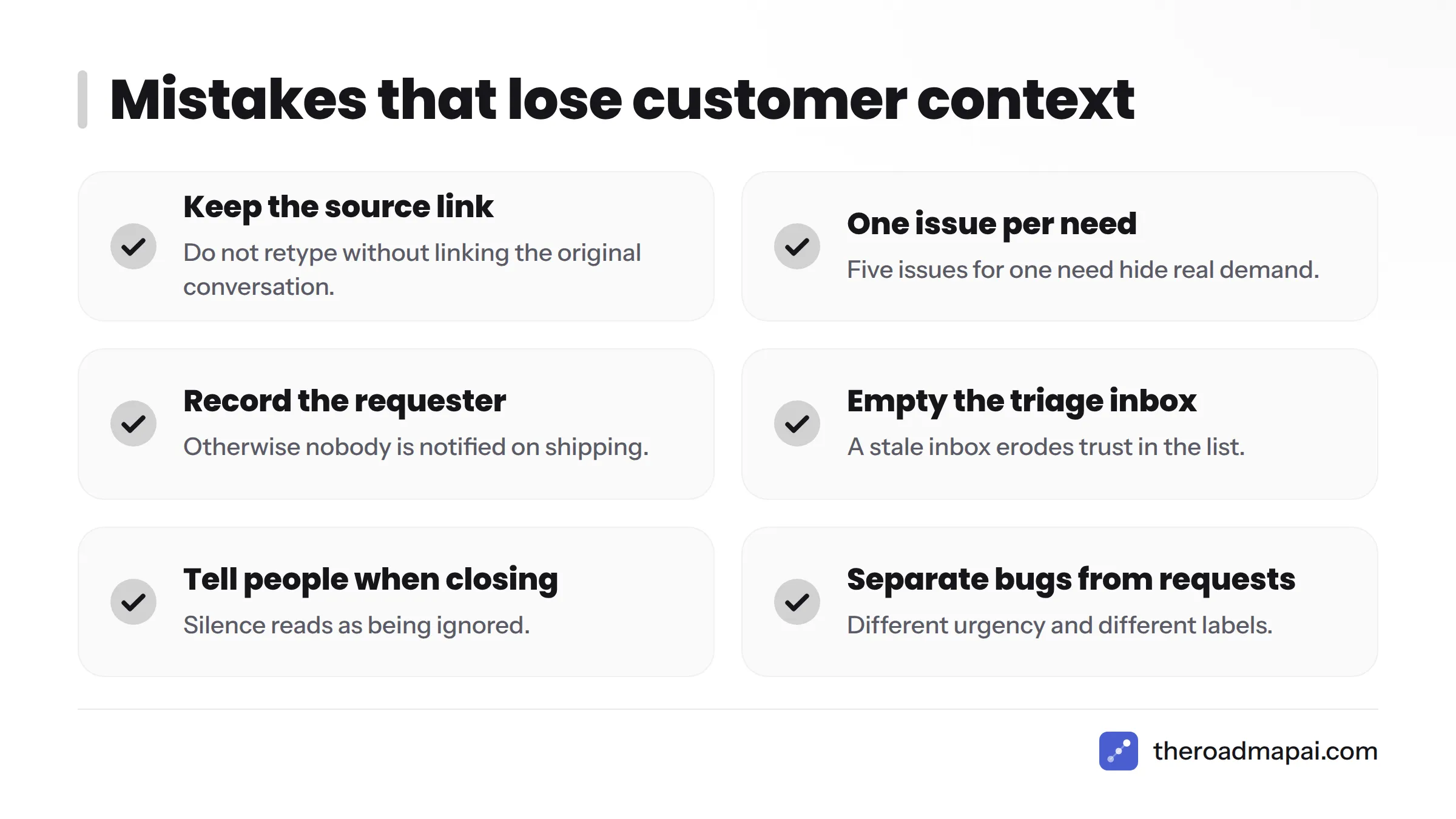
- Retyping without the source link. You can never go back to the original conversation.
- Filing one issue per ask. Five issues for one need hide real demand.
- No requester field. Nobody gets notified when the feature ships.
- A triage inbox that never gets emptied. New requests pile up and the team stops trusting the list.
- Closing issues without telling anyone. Requesters assume you ignored them.
- Mixing bugs and feature requests. Different work needs different urgency and different labels.
FAQ
Can Linear track customer feature requests natively?
Partly. Linear has issues, Triage and Customer Requests for linking feedback to work. Capturing and merging community feedback from channels like Discord usually needs a layer upstream.
What is Linear Asks?
Linear Asks lets people outside your product team send requests into Linear from tools such as Slack, without working inside Linear themselves.
How do I handle duplicate feature requests in Linear?
Pick one surviving issue, copy the requester names and links into it, then mark the others as duplicates. See Linear's duplicate issues documentation.
How do I know who asked for a feature in Linear?
Record the requester in your issue template, or use Customer Requests to link the customer to the issue. If you skip both, the name is gone.
How do I tell users when their request ships?
Keep a requester list on the issue, then send a short message when its status changes to done. Step 7 has wording you can copy.