 RoadmapAI
How to Track Feature Requests From X (Twitter) Mentions
Turn X mentions into a clean feature request pipeline. Get a 7-step workflow, search queries, a triage table and reply templates for product teams.
Twitter feature requests are the posts, replies, quote tweets and DMs where people ask a product to add or improve something. They also expose the problem every product team hits on X: requests vanish fast, get buried under bugs and jokes, and arrive with no vote count.
This guide serves two readers. If you want to ask X itself for a feature, jump to the section on submitting a request to X. If you build a product and your users ask for features on X, keep reading. You will get a seven-step workflow, copy-paste search queries, a triage table, an intake schema and reply templates.
Disclosure: RoadmapAI publishes this guide, and we have a commercial interest in the tooling section. We keep our claims about it narrow. Last updated: 2026.
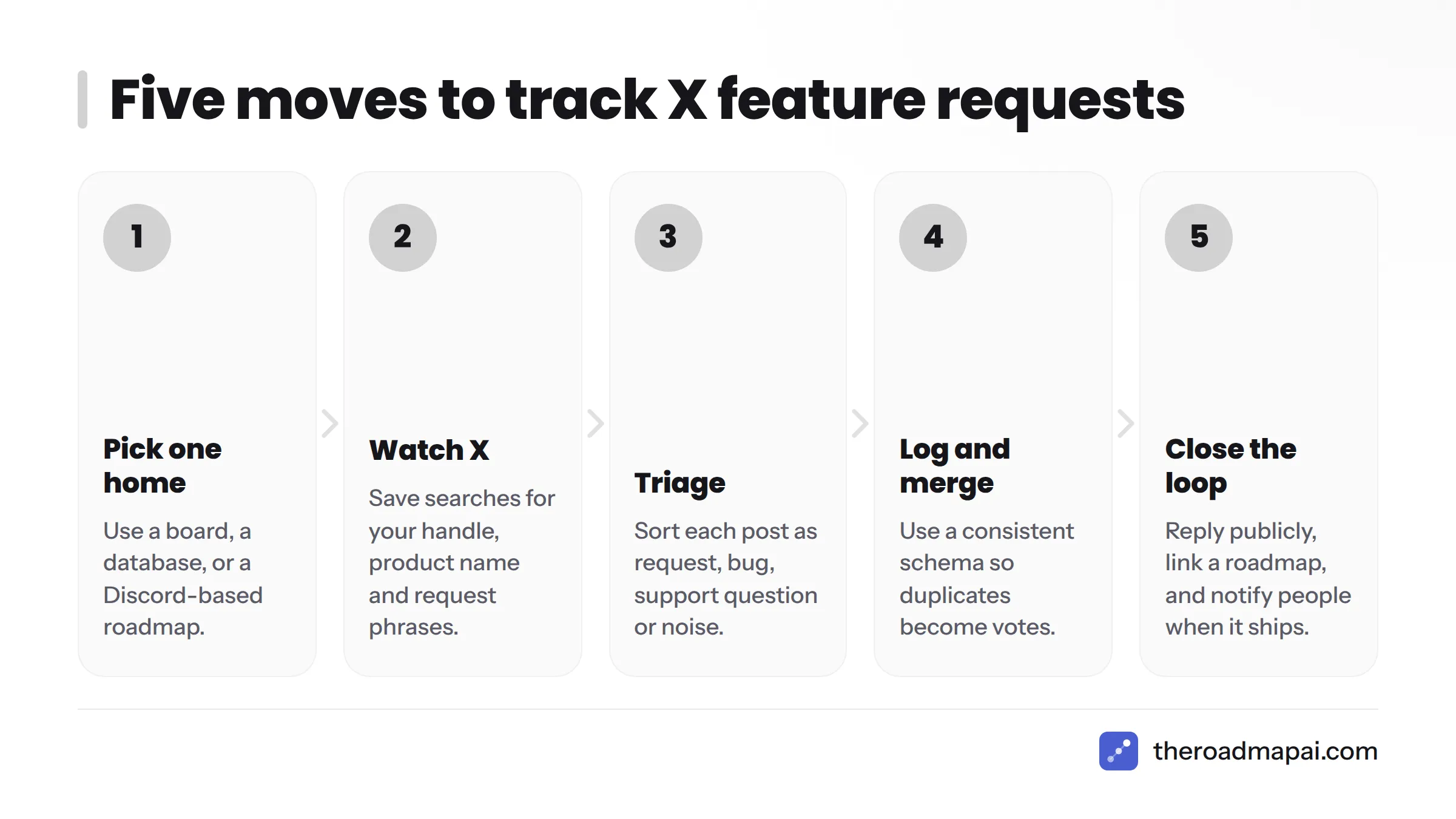
Quick answer: track feature requests from X mentions in 5 moves
- Pick one home for every request: a board, a database, or a Discord-based roadmap.
- Watch X with saved searches for your handle, your product name and phrases like "wish it could".
- Triage each post as request, bug, support question or noise.
- Log and merge each request with a consistent schema, so duplicates become votes.
- Close the loop: reply publicly, link a roadmap, and notify people when the feature ships.
Let's break it down.
What counts as a Twitter (X) feature request?
An X (Twitter) feature request is a post, reply, quote tweet or DM in which a user asks a product to add or improve a capability. A bug report describes something broken. An opinion expresses a feeling without asking for a change. A request asks for something different.
That sounds obvious until you read your mentions. "Why is export so slow?" could be a bug, a performance request, or a rant. Sorting these correctly is the first skill to build.
Feature request vs bug vs support question vs opinion
Use this table as your triage reference. It also backs the checklist in Step 3.
| Post type | What it looks like | Example | Where it goes |
|---|---|---|---|
| Feature request | Asks for something that does not exist | "Can you add CSV export?" | Request board |
| Bug report | Describes broken, expected behavior | "Export button does nothing on Safari" | Issue tracker |
| Support question | Asks how to do something that exists | "How do I export my data?" | Help desk or docs |
| Opinion or noise | Praise, complaint, joke, no ask | "Your app is mid lol" | Ignore or sentiment log |
The same split matters in other channels. Our guide on how to separate support from feature requests covers the logic in more detail, and SmartSuite's help center teaches a similar bug-versus-feature test for its own users.
Where requests hide: mentions, replies, quote tweets, DMs, hashtags
Requests rarely arrive in one tidy place. Check all of these:
- Mentions of your handle, the obvious source.
- Replies under your own posts, especially launch announcements.
- Quote tweets, where people talk to their own audience and often name your product without tagging your handle.
- DMs, where the most candid requests tend to land.
- Untagged posts that name your product ("Notion should really let me...").
- Hashtags, if you run a branded one.
Quote tweets and untagged posts are the ones teams miss. Keyword monitoring catches them. Mention notifications do not.
Why X is a hard channel for feature request tracking
X is great for hearing people. It is poor for organizing what they say.
No voting, no status, no duplicate handling
A tweet cannot be upvoted into a ranked list, and a like is not a vote. X has no "Planned" or "Shipped" label. When ten people ask for dark mode in ten different phrasings, you see ten separate posts and do the consolidation yourself. That is why a single source of truth matters.
Vocal minority and quote-tweet bias
The loudest tweet is not the most common need. One quote tweet with a big audience can pull in hundreds of replies that all trace back to a single person's frustration. Treat reach as a warning sign, not a priority score. Count unique requesters, and note which customers (paying, active, on your target plan) sit behind each request.
Lesson from the edit button: the most requested Twitter feature
The edit button is the classic case of users asking Twitter for the same thing over and over. A news report from April 2022 described it as the platform's most requested feature, with Twitter confirming it was working on it and Jay Sullivan commenting on the plan. The same coverage noted that Jack Dorsey had long been reluctant to add editing, and that Elon Musk ran a poll on the topic in which 73.4% of voters were in support.
The practical lesson: repeated, independently worded requests over years deserve a formal answer, even when the answer is "not yet" or "no, and here is why." Twitter's concerns about misuse of edits were real, which shows the other half of the lesson. A popular request can still carry trade-offs you must weigh. Later outcomes changed the story, so check X's current Help Center for how editing works today.
How to track feature requests from X mentions (step by step)
This is the repeatable workflow. In my experience, a solo founder can run it in about 20 minutes a day, and a team can split the steps.
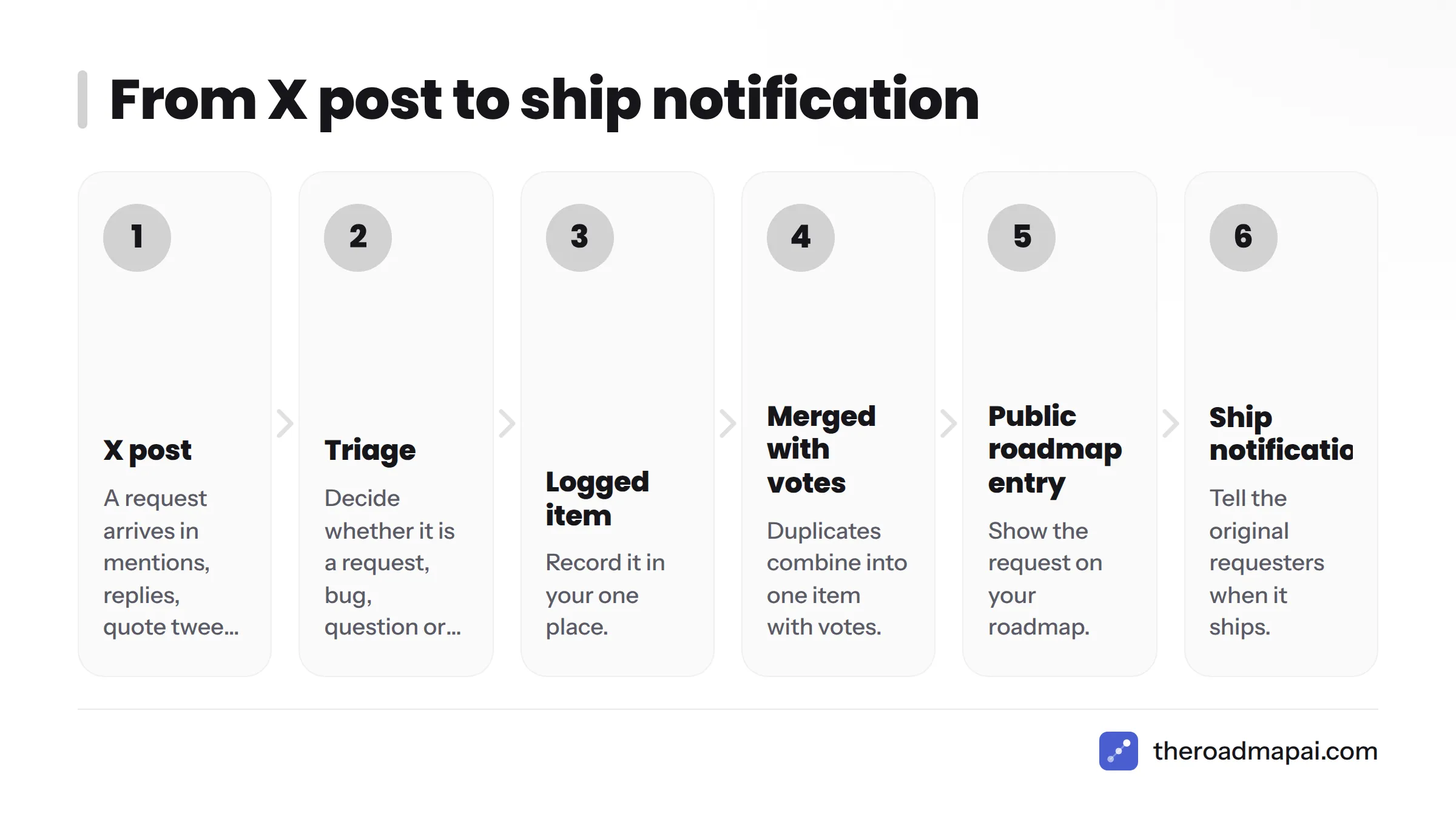
The flow looks like this: X post, then triage, then logged item, then merged item with votes, then public roadmap entry, then ship notification to the original requesters.
Step 1: Define one place requests live
Choose the destination before you collect anything. Options include a spreadsheet, a Notion database, a voting board such as Canny or Upvoty, or a Discord-based roadmap. The tool matters less than the rule: every request, from every channel, ends up in one list. Our guides on Slack feature requests and Reddit product feedback apply the same principle to other channels.
Step 2: Monitor mentions, replies and keywords
Open X's advanced search, run each query below, and save the ones that return useful results. X's Help Center documents the search operators. Operator behavior can change, so test each query before you rely on it.
@yourhandle ("wish" OR "please add" OR "can you add" OR "would love")
"YourProduct" ("feature request" OR "it would be great" OR "missing")
"YourProduct" ("is there a way" OR "why can't I") -filter:replies
to:yourhandle ("add" OR "support for" OR "integration")
"YourProduct" (bug OR broken OR crash)
The last query is deliberate. Searching for bugs on purpose lets you route them away from your request list.
A few habits keep this manageable:
- Use X Lists or X Pro (formerly TweetDeck) to keep columns for mentions and each saved query side by side.
- Turn on notifications for your handle, then rely on keyword searches for untagged posts.
- Filter out your own account and known spam with the minus operator.
- Check DMs, and the message requests folder, on a fixed schedule.
If you want alerts by email instead of manual checking, this short video shows keyword and mention monitoring on X.
Step 3: Triage into request, bug, support, noise
Run each post through four questions:
- Does the author ask for something that does not exist today? If yes, it is a request.
- Does the author describe something that should work but does not? It is a bug.
- Does the author ask how to do something that already exists? It is a support question.
- Is there no ask at all? It is noise. Log sentiment if you want, then move on.
When a post is ambiguous, ask: "What are you trying to get done?" The answer reveals the job behind the request, which tells you more than the solution the user proposed.
Step 4: Log each request with a consistent schema
A request without context is useless in six weeks. Record these fields every time:
| Field | Why it matters | Example |
|---|---|---|
| Requester handle | Lets you notify them later | @sam_builds |
| Post link | Preserves original context | x.com/sam_builds/status/... |
| Exact quote | Keeps their wording, not yours | "I need CSV export for invoices" |
| Type | Request, bug, support | Request |
| Product area | Routes to the right owner | Billing |
| Customer status | Separates users from onlookers | Paying, Growth plan |
| Votes | Count of unique requesters | 4 |
| Status | Open, Under Review, Planned, In Progress, Complete | Under Review |
The status ladder mirrors the lifecycle SmartSuite uses in its own feature request process. It is simple enough that users understand it at a glance.
Step 5: Merge duplicates into votes
People describe the same need in different words. Take this realistic example:
- "Please add dark mode"
- "Night theme when?"
- "Can we get a dark UI, my eyes hurt"
That is one item with three votes, not three items. Keep each original quote attached to the merged item, because the variations show what users mean (eye strain, battery, looks). Merge by intent, not by keyword. A spreadsheet handles a few dozen items. Past that, you want a tool that detects duplicates for you, because feature request voting only works when the count is honest.
Step 6: Reply publicly and link to a roadmap
A public reply shows everyone watching that you listen. Keep it short, name the next step, and link to the place where the request now lives. If you pin a post that points to your public product roadmap, you can paste one link into every reply.
Step 7: Notify requesters when it ships
This step turns a request into loyalty. You stored each requester's handle and post link, so you can reply to the original post with "This shipped today." Announce it in your changelog too. Closing the loop takes five minutes, and it is the step most teams skip.
Manual, automated and AI approaches compared
You can run this workflow three ways. RoadmapAI is listed first because it is built for teams whose community already lives in Discord.
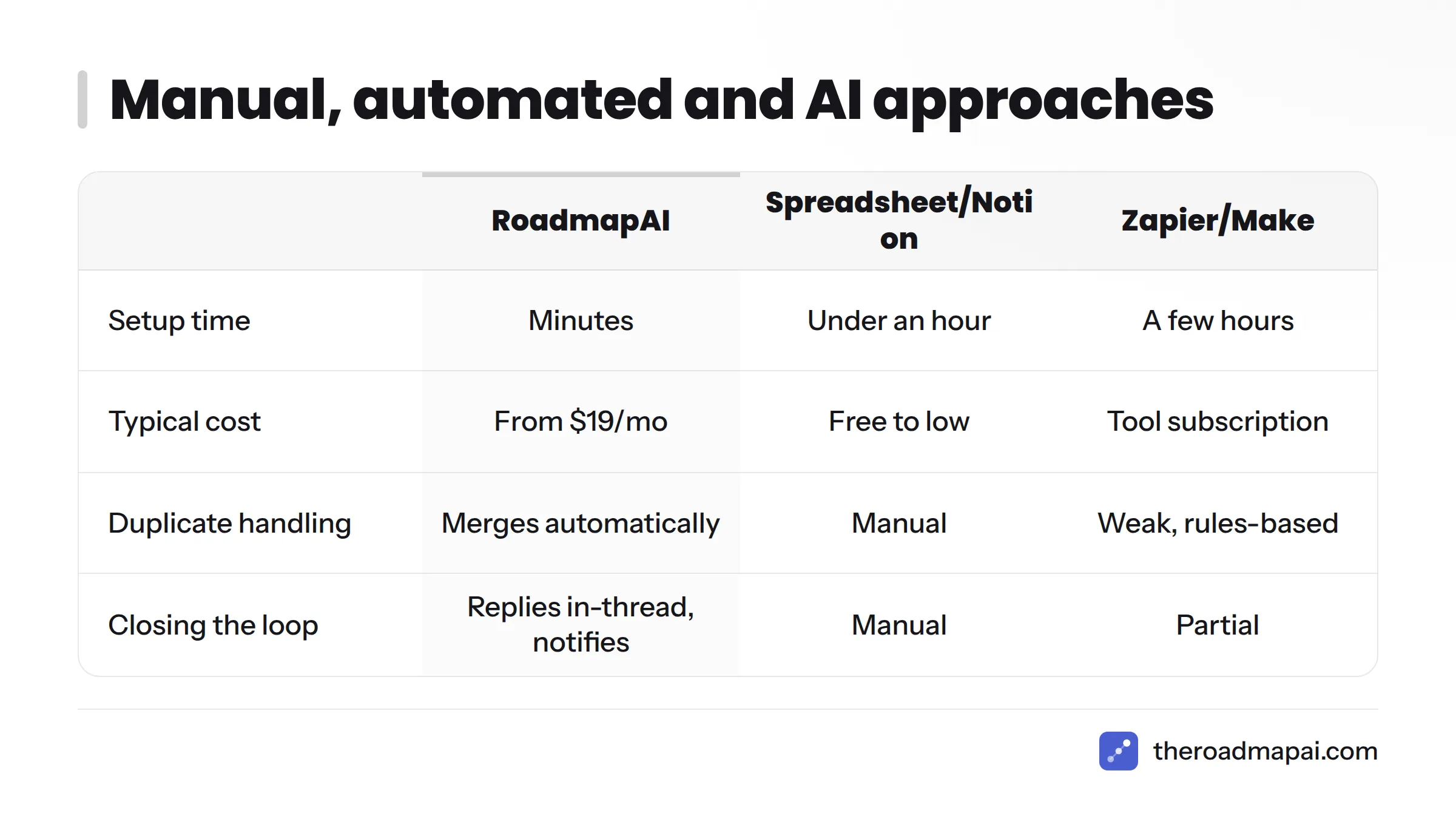
| Approach | Setup time | Typical cost | Duplicate handling | Closing the loop | Best for |
|---|---|---|---|---|---|
| RoadmapAI (AI agent, Discord-based capture) | Minutes | From $19/mo, 7-day free trial | Merges duplicates automatically | Replies in-thread, notifies requesters on ship | Teams with a Discord community and a public roadmap |
| Spreadsheet or Notion | Under an hour | Free to low | Manual | Manual | Solo founders, under ~50 requests |
| Zapier or Make automations | A few hours | Tool subscription | Weak, usually rules-based | Partial | Teams with existing workflows |
| Social listening tools | Hours to days | Often higher, plan-based | Limited | Rarely built in | Brand monitoring, PR |
Spreadsheet or Notion
Free, flexible and fine to start. The cost is your time. Every merge and every notification is manual, and the sheet decays the moment you get busy.
Zapier or Make automations
Zapier and Make can watch for matching posts and push them into a table or chat channel. They move data well. They do not understand intent, so "love this, but add export" and "export is broken" look alike to a keyword rule. Our guide to Zapier feature requests shows where this approach works and where it strains. Check X's current API access terms and rate limits before building on them, since they change.
Social listening tools
Social listening platforms are built for brand sentiment and reach. They surface mentions well. They rarely give you voting, merged items or ship notifications, so you still need a separate request list.
AI agent that reads context, not keywords
An AI agent reads the whole message, so it can tell a request from a bug report and from a joke. RoadmapAI does this for Discord. It captures requests from your server, merges duplicates, publishes approved items to a public roadmap, replies in-thread, and notifies requesters when a feature ships. It also offers an MCP server, so an AI assistant can list or ship requests for you.
To be clear about scope: RoadmapAI has no native X integration. Slack, Intercom and Zendesk support are listed as coming soon. The honest way to use it with X is to move X conversations to your Discord or roadmap, which the next section covers. For a wider view of the category, see our look at AI feedback tools.
Move Twitter feedback to a roadmap where requests can be voted
X is a fine front door and a weak filing cabinet. Use it to start the conversation, then move it.
Pin a post and link a public roadmap
Pin a post that says where to request features and where to see what is planned. Put the same link in your bio. Every reply then costs you one sentence.
Use Discord as the hub
If your community already chats in Discord, make it the hub. A Discord feedback bot turns chat into logged, voted items, and our walkthrough on how to collect feature requests from Discord covers the full setup. Invite X requesters with a link, ask them to restate the request once, and let votes build up there. That is the simplest way to collect feature requests from Twitter without losing them in the timeline.
Use this decision guide to route each request:
- Is it a bug? Send it to your issue tracker and reply with a status.
- Is it a how-to question? Answer it and link the doc.
- Is it a request from a user you can reach elsewhere? Invite them to the board or Discord and log it.
- Is it sensitive or account-specific? Move it to DMs or email.
- Is it a one-off from a non-user? Log it with a low weight and reply politely.
Reply templates for X feature requests
Copy these, adjust the details, and keep a human tone.
- Acknowledge a request: "Thanks, @name. That's a good one. I've logged it here: [roadmap link]. You can add context or vote there."
- Ask for the job behind it: "Love the idea. What are you trying to get done with it? That helps us build the right thing."
- Duplicate: "You're not alone, 6 people have asked for this. It's tracked here:. We'll update the status as it moves."
- Not planned: "Thanks for asking. We're not planning this right now because [short reason]. We'll revisit if demand changes."
- Shipped: "@name, you asked for this in [month] and it's live today: [changelog link]. Thank you."
How to submit a feature request to X (Twitter) as a user
Short answer: X has no guaranteed public voting board, and official channels change, so treat every route as best effort.
- Check the X Help Center for the current feedback and support options inside the app and on the web.
- Post your request publicly and describe the problem clearly. Say what you do today and what you wish happened instead.
- Search first to see whether others have asked, then add context to their post rather than starting a new one.
- Expect no reply. A request lands most often when many people phrase the same need independently, as the edit button history shows.
One clarification trips people up: "message requests" are DMs from accounts you do not follow, and follow requests apply to protected accounts. They live in different parts of the app, and neither is a feedback channel.
Mistakes to avoid
- Building from the loudest tweet. Count unique, relevant requesters, not impressions.
- Skipping deduplication. Ten scattered posts look like noise. One merged item with ten votes is a priority.
- Never closing the loop. Silence teaches users that asking is pointless.
- Ignoring DMs. Private messages often hold the most detailed requests.
- Storing data carelessly. Handles and tweet text are personal data. If you serve people in the EU, review the GDPR rules on storage and deletion, and ask a lawyer about your specific case.
- Mixing bugs into the roadmap. Keep a separate lane for them.
FAQ
What is a Twitter (X) feature request?
It is a post, reply, quote tweet or DM in which a user asks a product to add or improve a capability. A bug report describes something broken instead.
How do I find feature requests in my X mentions?
Turn on notifications for your handle, then save advanced searches for your product name plus phrases such as "wish", "please add" and "is there a way". Check quote tweets and DMs on a schedule.
How do I tell a feature request from a bug report on X?
Ask whether the thing exists. If the user wants something new, it is a request. If something that should work does not, it is a bug.
Should I track requests from DMs?
Yes. DMs are often more candid and detailed. Log them with the same schema, and get permission before quoting them publicly.
How do I merge duplicate requests with different wording?
Group by intent. "Dark mode", "night theme" and "dark UI" become one item, with each original quote attached and each unique requester counted as one vote.
Can Zapier or Make capture tweets automatically?
They can move matching posts into a table or channel. They match keywords, not intent, so you still need a triage step. Check current X API terms first.
Can AI separate feature requests from chatter?
Yes. An AI agent can read context and classify a message as request, bug, question or noise. Review its output, especially early on.
How do I avoid building from the loudest tweet?
Weigh unique requesters and customer fit above reach, and ask for the underlying job before you commit.
What was the most requested Twitter feature for years?
The edit button. Twitter acknowledged work on it in April 2022 after years of requests.
How do I submit a feature request to X?
Use the in-app and Help Center feedback options, post publicly, and add to existing threads. Channels change, so expect no guaranteed response.
Next steps
Start small. Today, save three searches, create one list, and log your next ten requests with the schema above. If your community already lives in Discord, try RoadmapAI's feature request tools so duplicates merge, replies go out in-thread and requesters hear when you ship. The 7-day free trial lets you test it. Plans are on the RoadmapAI pricing page: Starter is $19/mo, Growth $29/mo, Scale $49/mo, and a $99 one-time Lifetime plan works with your own Anthropic API key.
X will keep sending you ideas. A single source of truth makes sure you hear them.


