 RoadmapAI
How to Track Feature Requests in Help Scout
Help Scout has no feature request board or voting. Learn a 7-step system using tags, notes, workflows, and reports to track requests and close the loop.
Help Scout has no built-in feature request board and no voting. That catches many support leads off guard, because requests land in the shared inbox every day. You can still run help scout feature requests reliably with tags, internal notes, saved replies, workflows, reports, and one integration. This guide walks through the full system, from triage to closing the loop, with copy-ready templates and a clear signal for when to add a dedicated tool.
Disclosure: RoadmapAI, a feedback and roadmap product, publishes this article. We built the Help Scout workflow below using only Help Scout's own features, and we point out where a dedicated tool fits. Help Scout changes its plans and integrations over time, so verify limits in your own account and in the Help Scout Docs. Last updated: November 2026.
Quick answer: Help Scout does not include a native feature request board, voting, or public roadmap. To track requests, apply a consistent tag such as
feature-requestto each conversation, add an internal note describing the need, count tags in reports, push top items to Jira, Trello, or Linear, and notify customers with a saved reply when the feature ships.
Help Scout Has No Native Feature Request Board
Help Scout is a shared inbox for customer conversations, not a feedback board. It has no feature voting, no duplicate merging for ideas, no public roadmap, and no automatic "it shipped" notifications. It does have enough building blocks to run a lightweight request process yourself. My take: it's a great inbox that needs a thin system on top.
What Help Scout does natively
Help Scout documents each of these building blocks in its Docs:
- Tags label conversations so you can filter and report on them. See Help Scout's guide to tags.
- Notes hold internal comments that customers never see.
- Workflows run actions, such as adding a tag or assigning a conversation, when conditions match.
- Saved replies store reusable responses for acknowledgments and updates. Many teams still call them canned replies.
- Reports show conversation volume, including by tag.
- Docs is Help Scout's knowledge base product, and Beacon is the widget that surfaces it on your site.
- Integrations and the API connect conversations to outside tools. Check the Apps directory in your account for the current list.
What it doesn't do
- Let customers vote on ideas
- Merge ideas worded differently into one record
- Publish a public roadmap or status board
- Tell everyone who asked when a request ships
Native capability vs gap
| Need | Native in Help Scout? | How to cover it |
|---|---|---|
| Label requests | Yes (tags) | Use a tag taxonomy |
| Record the underlying need | Yes (notes) | Short internal note per request |
| Auto-detect likely requests | Partly (workflows) | Keyword-based rules, reviewed by humans |
| Count requests | Partly (tag reports) | Tag reports plus CSV export |
| Voting | No | Add a board or use a spreadsheet |
| Duplicate merging of ideas | No | One canonical tag per idea |
| Public roadmap | No | Docs page workaround or dedicated tool |
| Notify on ship | No | Tag search plus saved reply |
Sort Requests From Bugs and Questions Before You Tag
A feature request is a customer asking for a capability your product does not have. Tag everything as a request and your counts become useless, so sort first. For a deeper treatment, here is how to separate feature requests from support in another help desk.
| Signal in the message | Type | What to do |
|---|---|---|
| "It used to work and now it doesn't" | Bug | Route to engineering, no request tag |
| "How do I do X?" and X exists | How-to question | Answer, link a Docs article |
| "Can you add X?" and X doesn't exist | Feature request | Tag, note, acknowledge |
| "I can't log in" or billing issue | Account issue | Handle in support |
| "X is confusing" | Usability feedback | Tag as feedback-ux, review monthly |
Edge cases
- The complaint in disguise. "Your export is useless" often means "I need a column you don't include." Ask what they were trying to do, then tag the underlying need.
- "Is it possible to...?" If yes, answer with the how-to. If no, you have a request. Tag it.
- Mixed messages. One email may hold a bug and a request. Add both tags, or split the conversation so each issue has an owner.
How to Track Feature Requests in Help Scout (7 Steps)
Here is the whole process at a glance:
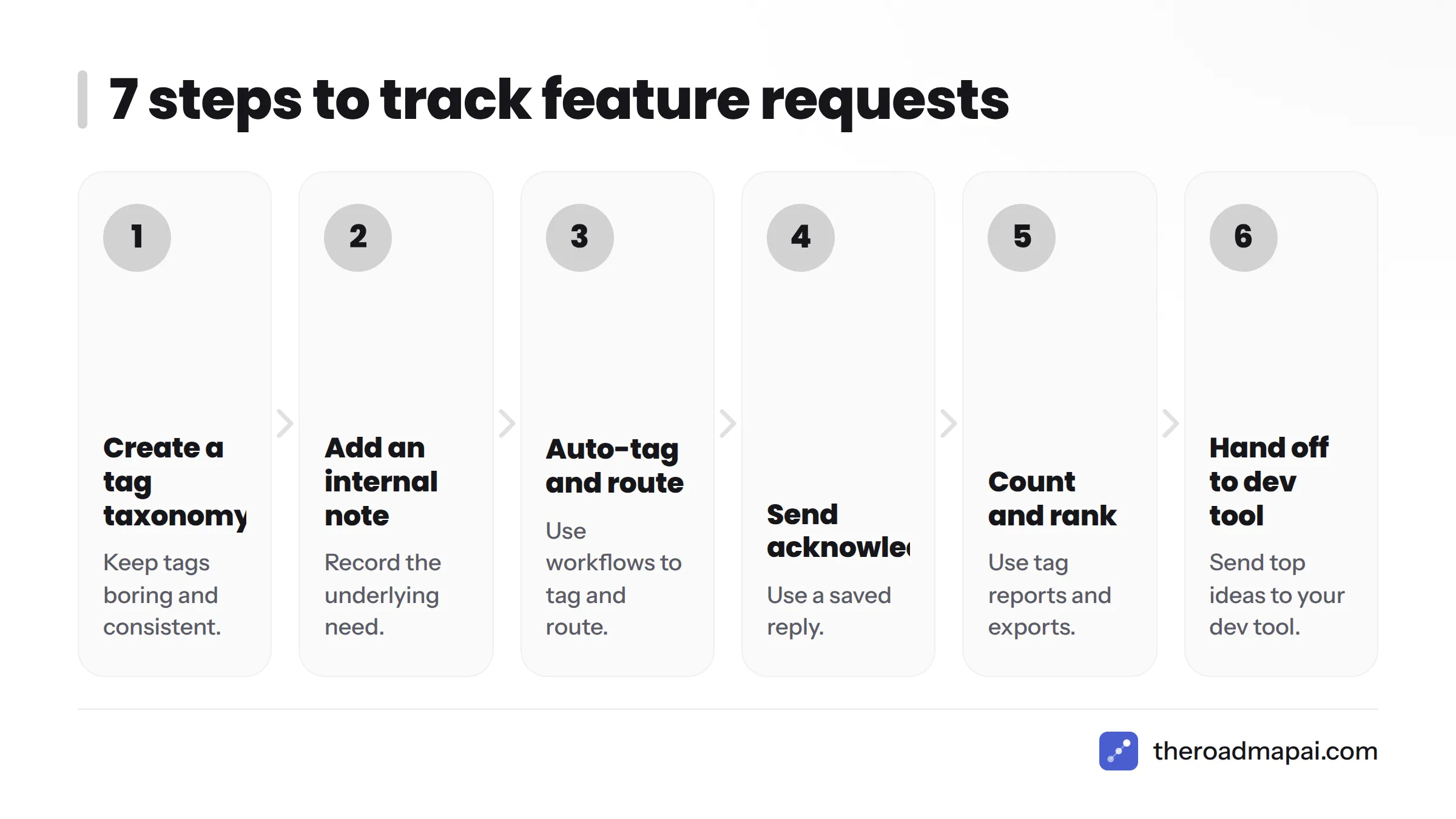
- Create a tag taxonomy.
- Add an internal note for the underlying need.
- Use workflows to auto-tag and route.
- Send an acknowledgment with a saved reply.
- Count and rank with tag reports and exports.
- Hand off to your dev tool.
- Close the loop when it ships.
Let's break it down.
Step 1. Create a tag taxonomy
Tags are your database, so keep them boring and consistent. This is the core of Help Scout feature request tracking.
| Tag | Purpose |
|---|---|
feature-request |
Parent tag on every request |
fr-integrations |
Request area: integrations |
fr-reporting |
Request area: reporting |
fr-onboarding |
Request area: onboarding |
fr-<idea-slug> |
One canonical tag per specific idea, such as fr-csv-export |
fr-shipped |
Applied after you notify the customer |
Rules that keep it clean:
- Every request gets
feature-requestplus onefr-<idea-slug>tag. - Check for an existing idea tag before making a new one.
- Use lowercase and hyphens only.
- Keep a shared sheet listing every idea tag with a one-line definition.
The idea-slug tag doubles as your duplicate handler. Tags cannot tell that "dark mode" and "night theme" are the same ask, so a human picks one canonical tag and uses it every time.
Step 2. Add a short internal note for the underlying need
Customers describe solutions. You need the problem. Add a note in this format:
Need: Finance team can't reconcile invoices without line-item export. Current workaround: Copies data into a spreadsheet by hand. Account value: Team plan, 12 seats.
Three lines is enough. When you review requests later, these notes tell you why people asked, and the why usually matters more than the count.
Step 3. Use workflows to auto-tag and route
Help Scout workflows apply actions automatically when a conversation matches your conditions. A simple setup:
- Condition: subject or body contains phrases like "feature request," "would be great if," "can you add," or "wish you had."
- Action: add the tag
needs-triageand assign the conversation to whoever reviews requests.
The tag is needs-triage, not feature-request, on purpose. Keyword rules misfire, so a person confirms before the real tag goes on. Confirm the exact condition and action options on your plan in Help Scout Docs.
Step 4. Send an acknowledgment with a saved reply
Someone who asks for a feature wants proof that a human read it. A saved reply keeps every agent's response consistent. Templates follow in the next section.
Step 5. Count and rank with tag reports and exports
Open Help Scout's reports and filter by tag to see how many conversations carry each fr- tag over a date range. For a ranked list:
- Filter conversations by the
feature-requesttag for your chosen period. - Export the data to CSV, or pull it through the Help Scout API.
- Group by idea tag in a spreadsheet and count rows.
- Add a column for unique customers, because one person writing five times is one request, not five.
That last step matters because tag reports count conversations, not unique customers. If you export customer data, keep it to what you need and handle it in line with GDPR rules where they apply to you.
If you prefer a visual walkthrough of the export mechanics, this short video covers it.
Step 6. Hand off to your dev tool
Once an idea passes your threshold, give engineering a ticket. Use a native integration if your Help Scout account lists one, or connect through Zapier or webhooks. Verify what your Apps directory offers today, whether you want a Help Scout Jira integration or a Help Scout Trello integration.
| Destination | Good for | Notes |
|---|---|---|
| Jira | Engineering teams already in Atlassian | See Atlassian's Jira documentation and our guide to Jira feature requests |
| Trello | Small teams with a simple board | One card per idea, link the conversation |
| Linear | Product-led teams | See Linear feature requests |
| Slack | Alerting the team | Good for visibility, bad as a database; see Slack feature requests |
| Zapier | Gluing tools together | Try to automate feature request capture with Zapier |
Create one ticket per idea, not per conversation. Paste the idea tag, the request count, and links to two or three representative conversations.
Step 7. Close the loop when it ships
Most teams skip this step, and it is where trust gets won. When a feature ships:
- Search Help Scout for conversations with the idea's tag.
- Collect the unique customers from the results.
- Send each a short "shipped" message using a saved reply.
- Add
fr-shippedso nobody gets messaged twice.
Aim to send these within a week of release, while the request is still fresh.
Reply Templates for Feature Requests
Copy these, then adjust the tone to match your team. They double as a Help Scout feature request template set and as canned replies for feature requests.
Acknowledge
Hi {name}, thanks for the suggestion. I've logged your request for {feature} with the product team. I can't promise a date, but every request is reviewed, and I'll write back if it moves forward. If you can tell me what you're trying to get done, that helps us a lot.
Already exists
Hi {name}, good news: you can already do this. Here's how: {steps or Docs link}. If it doesn't quite fit what you need, tell me where it falls short and I'll pass that along.
Not planned
Hi {name}, thanks for asking about {feature}. We've looked at it and it isn't on our plan right now, because {honest reason}. I've noted your request so we can revisit it if priorities change. In the meantime, here's a workaround that might help: {workaround}.
Shipped
Hi {name}, you asked for {feature} and it's live today. {One-line how to use it, with link}. Thank you for pushing us on this. Tell me what you think once you've tried it.
When you decline, be direct and kind. A clear "no" with a reason beats months of silence.
Prioritize by Score, Not by Raw Counts
Counts alone mislead. Score each idea on four factors, each from 1 to 5, in a spreadsheet:
| Factor | Question | Scale |
|---|---|---|
| Volume | How many unique customers asked? | 1 (one) to 5 (many) |
| Revenue impact | Do paying or at-risk accounts want it? | 1 to 5 |
| Strategic fit | Does it match where the product is going? | 1 to 5 |
| Effort | How hard is it to build? (score 5 for easy) | 1 to 5 |
Add the four scores and sort. This is a simplified cousin of the RICE scoring model lens many product teams use, light enough for a support lead to run alone. Hold a monthly review where support and product look at the top ten together. Support owns capture and counts. Product owns the decision.
A Public Roadmap or Voting Board Needs Workarounds
Help Scout can't do either natively. You can improvise, or you can adopt a dedicated tool.
Docs page or Beacon link workaround
For a Help Scout Docs public roadmap, publish a plain "What we're working on" article in Docs and link it from Beacon or your site. It works as a static status page that you edit by hand. It cannot take votes, and it won't notify anyone. A second option is linking Beacon to an external feedback board, so customers can submit and vote there.
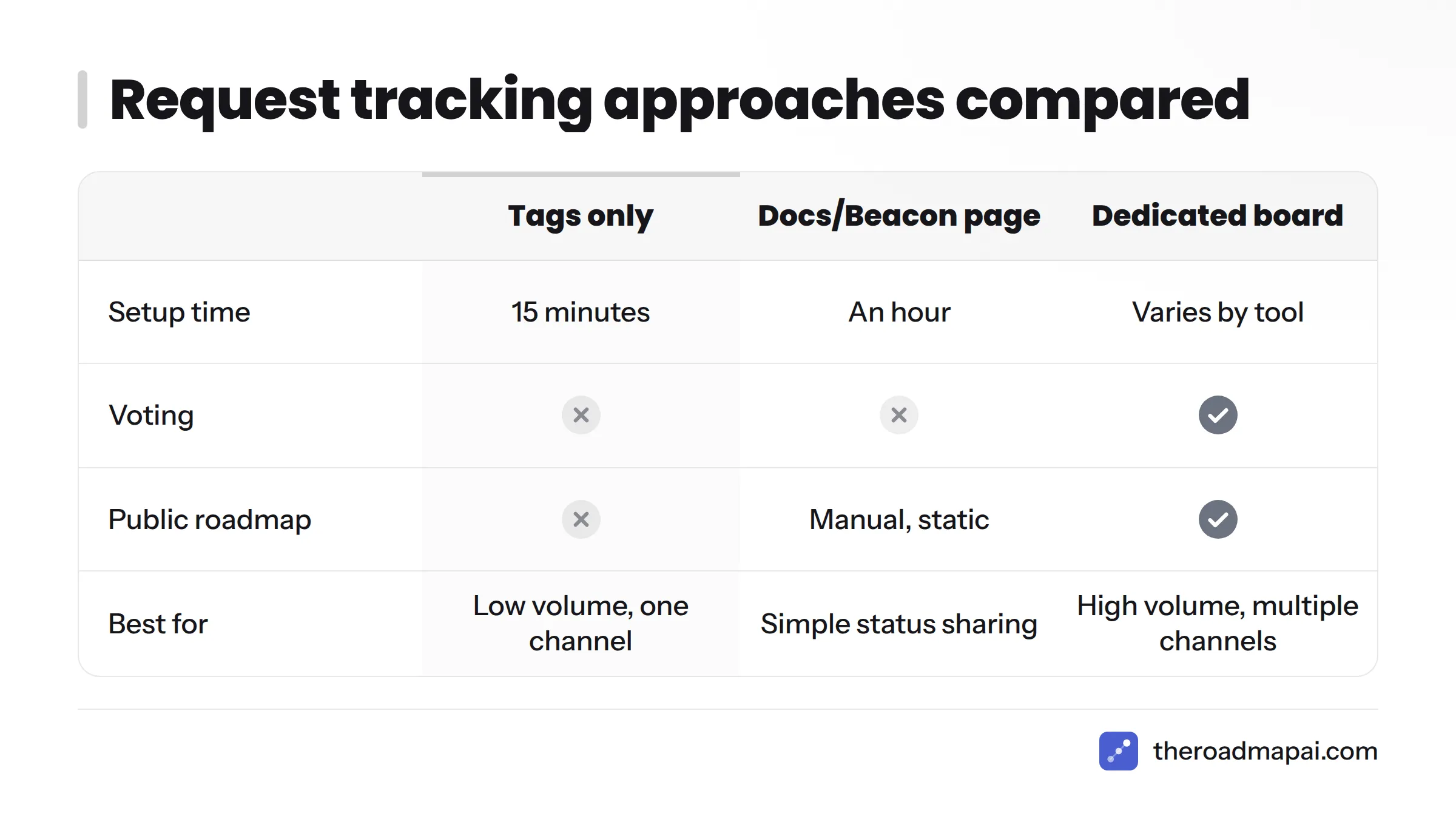
Dedicated boards compared
| Approach | Setup time | Voting | Public roadmap | Best for |
|---|---|---|---|---|
| Tags only | 15 minutes | No | No | Low volume, one channel |
| Tags plus integration (Jira, Trello, Linear) | A few hours | No | No | Teams needing dev handoff |
| Docs or Beacon roadmap page | An hour | No | Manual, static | Simple status sharing |
| Dedicated board | Varies by tool | Yes | Yes | High volume, multiple channels |
If you're shopping for Help Scout alternatives for feature voting, Canny and Upvoty are established options for web-based voting. If your community lives in Discord, RoadmapAI is built for that case, and it's the option I'd point Discord-first teams toward. See public roadmap software and changelog tools for how those pieces fit together.
Signs Help Scout Alone Has Stopped Being Enough
Tags work well until they don't. Consider adding a dedicated tool when two or more of these sound familiar:
- You log more than roughly 30 to 50 requests a month and spreadsheets lag behind.
- Customers keep asking "is this planned?" and you have nowhere public to point them.
- Requests also arrive in Discord, Slack, or a community forum.
- Product wants vote counts, not conversation counts.
- You can't tell which accounts asked for what without manual digging.
Those numbers are my rule of thumb, not a published benchmark. Your own threshold depends on how much time the spreadsheet costs you.
Requests that never reach the inbox
A Help Scout inbox only sees email, chat, and Beacon messages. Requests posted in Discord channels, Slack Connect rooms, or forums never arrive. If you run a community, read how to collect feature requests from Discord. For forum-based communities, Discourse feature requests covers a similar workflow.
Where RoadmapAI fits for Discord-based communities
When part of your audience lives in Discord, a Discord feedback bot can capture and vote on requests where people already talk, while Help Scout keeps handling private support. You end up with two feeds, and you merge them into one prioritized list to manage customer feature requests in a single place. You can also read about AI feedback tools and how to turn feedback emails into a roadmap. Plans and the free trial are on the RoadmapAI pricing page, and the starter tier is priced to be easy to justify for a small team. If you use another help desk, the same ideas apply to Zendesk feature requests and Crisp feature requests.
Common Problems and Fixes
Most of these come up whenever teams collect Help Scout customer feedback by hand.
| Problem | Why it happens | Fix |
|---|---|---|
| Tags applied inconsistently | No shared list, agents invent their own | Publish the taxonomy sheet, review tags weekly |
| Requests hidden in long threads | The ask appears in message six | Tag the conversation as soon as you spot it, add a note |
| Agents forget to tag | It's an extra step | Use the needs-triage workflow so nothing slips |
| Reports can't show unique customers | Tag reports count conversations | Export to CSV and dedupe by customer email |
| Duplicate ideas under different tags | Wording varies | Name one canonical tag, retag the strays |
| Customers never hear back | Closing the loop is manual | Schedule a post-release tag search |
Does AI help? Help Scout offers AI features for drafting and summarizing replies, and they may help you spot requests in long threads. Treat any AI classification as a suggestion and have a person confirm the tag. Check Help Scout's current documentation for what your plan includes.
How to Submit a Feature Request to Help Scout Itself
Some readers land here wanting to ask Help Scout for a feature. Use Help Scout's official channels rather than third-party listings. Start at the Help Scout contact page, where you'll find their support options. Verify any email address or phone number there before using it, since outdated numbers circulate on third-party sites. Describe the problem you're trying to solve, not only the feature you want, and mention your plan and use case.
Frequently Asked Questions
Does Help Scout have a feature request feature?
No. Help Scout has no native voting board or public roadmap. You can approximate one with tags, notes, workflows, reports, and an integration.
How do I track feature requests in Help Scout?
Tag each request, add a short note about the need, count tags in reports or a CSV export, send top ideas to your dev tool, and notify customers when they ship.
How should I tag feature requests in Help Scout?
Use a parent tag like feature-request plus one canonical fr-<idea-slug> tag per idea. Keep a shared list so everyone reuses the same tags.
Can customers vote on feature requests in Help Scout?
Not natively. Link Beacon to an external board if you want voting.
Can I build a public roadmap with Help Scout?
Not natively. You can publish a manual page in Docs, or use a dedicated roadmap tool.
How do I count how many customers asked for the same feature?
Filter by the idea tag, export to CSV, and dedupe by customer email, since tag reports count conversations.
Can I send a Help Scout conversation to Jira, Trello, or Linear?
Often yes, through an app in the Apps directory, Zapier, or webhooks. Verify what your account currently offers.
How do I notify customers when a feature ships?
Search the idea tag, gather unique customers, send a saved reply, then add fr-shipped.
How do I handle duplicate requests worded differently?
Pick one canonical idea tag and retag the duplicates. Tags can't detect similarity on their own.
When should I move from tags to a dedicated tool?
When volume, multiple channels, or the need for votes and a public roadmap outgrow a spreadsheet.
Next Steps: Start Small, Add Tools When It Hurts
Help Scout is a strong inbox, and a thin layer of discipline lets it handle feature requests well at low volume. Start with the basics and add tools only when the pain is real.
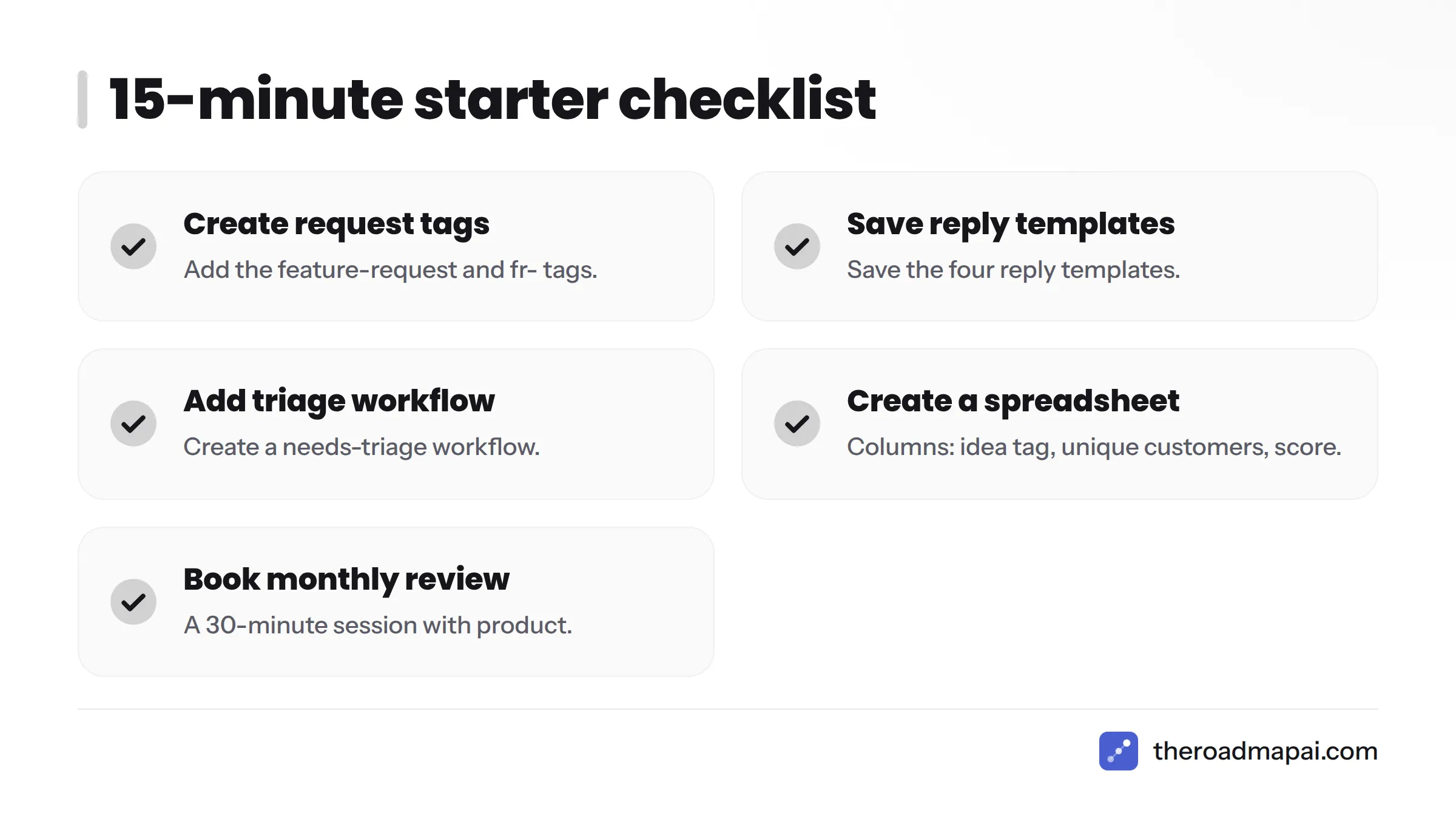
15-minute starter checklist:
- Create the
feature-requestandfr-tags. - Save the four reply templates.
- Add a
needs-triageworkflow. - Create a spreadsheet with columns for idea tag, unique customers, and score.
- Book a monthly 30-minute review with product.
If requests are also piling up in Discord, look at feature request tools built to capture and vote on them in one place.